I’ve been running a few services on my home network for a while now, most notably Pi-hole. However, I recently decided to expand my home lab network, which ended up being really fun.
My setup
Below shows an overview of my homelab network. Physically in my home, I have a Raspberry Pi 5, a Raspberry Pi 3B+, and an ASRock J5040-ITX connected together through a Docker Swarm network. I also have another Pi 3B+ and a Libre Computer “Le Potato”, but I have not appointed any services to run on these yet. I use the Swarm network to deploy most of my services, which include game servers for me and my friends, a NAS server, the server for this website (which you can read more about here), etc.
I also use Tailscale to connect all of my homelab devices and personal devices together, so I can access my services remotely. However, while I can get away with this, in order for my friends to connect to my game servers from their PlayStations, there needs to be a public-facing IP that they can connect to. So, I am using a cheap $4/month DigitalOcean droplet to act as a reverse proxy for the game server ports into my home network. For the web traffic, I use CloudFlare tunnels and their proxying service.
---
config:
    theme: 'neutral'
---
flowchart TD
    subgraph tailscale[Tailscale Network]
        subgraph home[Home Network]
            direction TD
            pi5["Raspberry Pi 5\n(Game servers)"]
            pi3b["Raspberry Pi 3B+\n(Web server)"]
            j5040["ASRock J5040-ITX\n(NAS, Docker manager)"]
        end

        digitalocean["Digitalocean Droplet\n(Reverse proxy)"]
    end

    cloudflare["Cloudflare Servers\n(Web proxy)"]
    internet[Public Internet]

    home <---> cloudflare

    home <--> digitalocean

    cloudflare <-- "HTTP/S Traffic" --> internet
    digitalocean <-- "Other Traffic\n(DNS, game server, etc.)" --> internet
Server rack
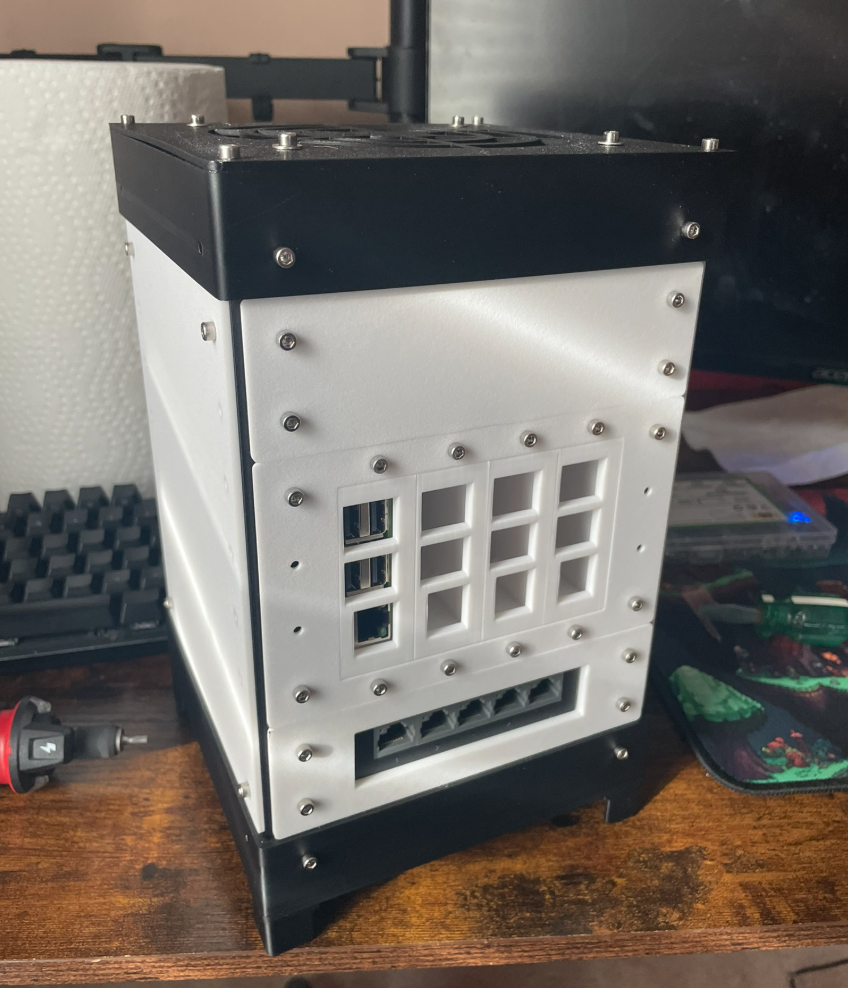
For the Pi’s & libre computer, I modified a 3D-printable server rack that I found to hold the 4 of them. I was originally going to use it as-is, but I decided to make some custom pieces to hold a gigabit ethernet switch and the four machines.
Below shows a picture of the server rack with 1 Pi installed and the ethernet switch. I reused the frame and some of the panel pieces from the design, but custom-designed the ethernet switch holders, Pi mounts, and the panel that holds the 4 Pi mounts. This helped keep everything nice and compact and easy to store. Not pictured is inside the server rack, where I installed a 6-port USB power supply which supplies each of the four machines, the ethernet switch, and a fan on top from a single AC input in the back.